
# 正文
上一节我们介绍了react ssr的核心原理。
这一节我们就来实操一下,实现一个单纯的 react ssr功能,这有点像是写一个hello world。
在服务端渲染 react 组件,得到组件的 html 内容,然后将html字符串返回给浏览器端。
# 准备工作
安装 react 库
npm i react react-dom
安装 babel
react 代码不能直接运行,需要先经过 babel 编译。
babel7和之前版本安装有所不同,是一次重大的升级,所有的包都放在了@babel 下面。
npm i @babel/core @babel/cli @babel/preset-react
# 创建组件
创建一个 Index 组件
const React = require('react');
//组件
class Index extends React.Component {
    constructor(props) {
        super(props);
    }
    render() {
        return <h1>hello react ssr !</h1>
    }
}
# 创建 http 服务
使用node http 模块创建服务,然后调用 react服务端渲染renderToString 方法将组件转换为 html 字符串。
//node http 模块
const http = require('http');

//服务端渲染方法
const { renderToString } = require('react-dom/server');

//创建服务
http.createServer((req, res) => {
        res.writeHead(200, {
            'Content-Type': 'text/html'
        });
        //将组件转换为 html
        const html = renderToString(<Index/>);

            res.end(`<!DOCTYPE html>
        <html lang="en">
        <head>
            <meta charset="UTF-8">
            <title>传统 ssr</title>
        </head>
        <body>
            <div id="root">
               ${html}
            </div>
        </body>
        </html>
`);

    }
).listen(9001);//服务监听9001端口
# 代码编译
启动服务之前,使用 babel 进行代码转换。
这里我们使用 babel cli 命令模式行来编译代码。
npx babel index.js --out-file index-compiled.js --presets=@babel/preset-react
编译后的文件为:index-compiled.js
ps: npm 从 5.2 版开始,增加了 npx 命令,使用 npx 命令可以调用项目内的模块,而不用再需要全局安装这个模块。
该命令执行的时候会自动安装 npx。
转换后的代码
class Index extends React.Component {
  constructor(props) {
    super(props);
  }

  render() {
   //jsx 语法转换为了 React.createElement 方法
    return React.createElement("div", null, "hello react ssr!");
  }

}
# 运行服务
node index-compiled.js
访问:http://localhost:9001/
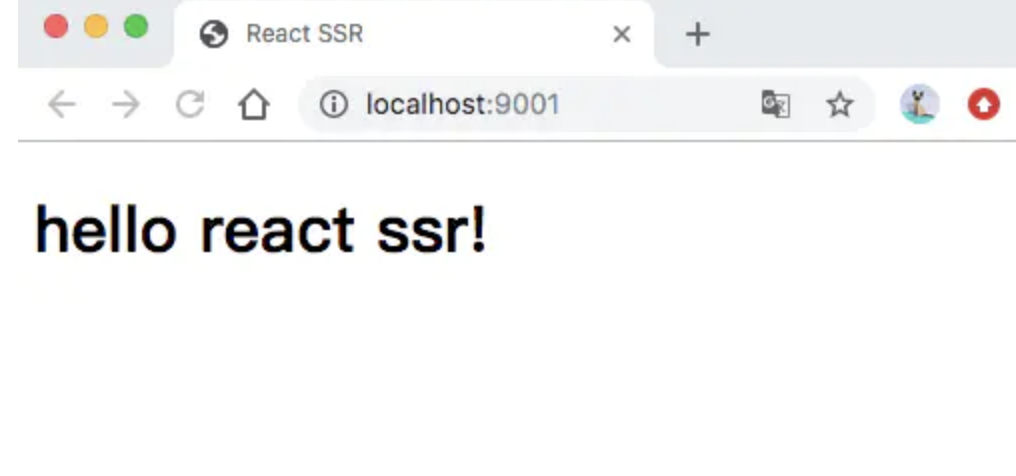
查看网页源代码可以看到组件的 html 内容
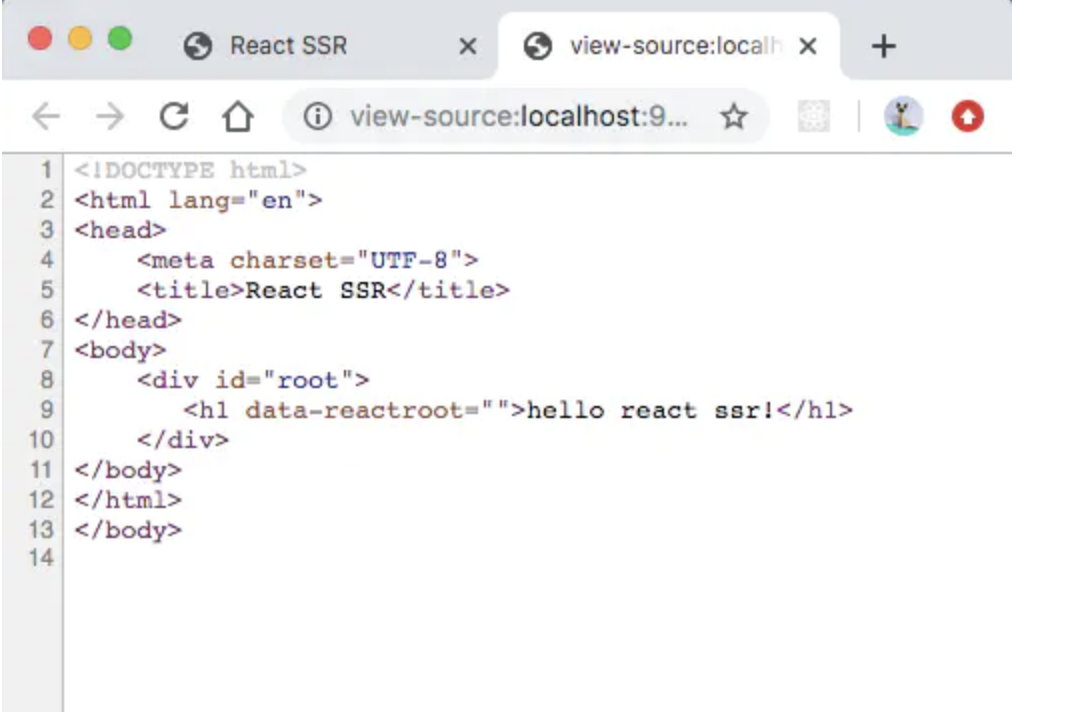
ok,到这里我们就实现了最基本的react ssr,当然这很简陋,也仅仅是个 demo,不过可以帮助我们具象的理解如何实现直出一个组件。
不要小看它,它可以帮我们引出一系列的问题,引导我们逐步的实现一个完整的 ssr 应用骨架。
# 小结
这一节,我们实现了一个非常简单的组件直出的功能,同时对我们的理论知识进行验证。
其实可以看出,这和我们平时开发spa的项目时编写的组件没什么区别,他是可以在服务端运行的,当然这得利于一个天然的条件 - 双端的语言都是javascript。
你可以试试给组件传递一些参数,然后看看渲染效果。
本节完整代码:


